
Tutoring Center
Lowry Tutoring Center
We offer free tutoring in a variety of University studies courses to any current Murray State student. We hold tutoring sessions both in-person in our testing center and online via the Penji platform. You can use Penji to find and book an online session with a tutor during hours where our in-person center isn't open (Fridays, nights, and weekends). You can find a section of information on Penji below, including how to sign up and step-by-step instructions on how to book a session. At the bottom of the page, you will find links with additional videos and information.
An MSU Single Sign On has been set up for the app. This means that you should be able to sign on with your Murray State email and password, and then create your account and use the SSO button for future log-ins.
**While much of the schedule for Lowry is finalized, there may be changes at any point to tutoring provided by Lowry or any other department. Make sure to check for changes to the schedule regularly.
Setting Up Penji
The instructions to set up Penji are simple. Penji is usable through both a smart phone application or online browser of your choice.
- Download the Penji app from the Apple or Google Play store. You can also access the app on the web at Penji App.
- Log on with your Murray State University Single Sign On (SSO) which should be your Murray State email address and password.
- Once you’re logged in, finish setting up your account, including adding your courses.
- Once you’re logged in, choose the “Learn” screen.
- Click “Schedule an appointment” and choose your course.
- Pick your time from the list of those available. Sessions run in either 15 or 30 minute increments.
- Choose a tutor. For some subjects and times, there will be multiple options.
- Select that you would like a Zoom location (currently the only option for our center).
- Fill in your Topic – give whatever information that you have so that your tutor can prepare the best way to help you. Let you tutor know if you just need homework help on a certain section, if you have slides you’d like to review, or even if you have a study guide you can share with them.
- Review all the information and make sure it’s correct. Then click “Continue”.
- You should now be able to see the appointment you made and its details on your Activity Feed.
- The tutor you selected will receive a notification of the appointment and will then confirm their availability.
- Once the tutor accepts the invite, you will receive a notification. The app will update with the Zoom meeting link you will use to access your appointment. You will also receive an email with the Zoom link.
Once your appointment is over, you will be prompted in the app to provide feedback on your session. Please let us know your thoughts so we can either make adjustments to our sessions or to call out a tutor who is doing a great job!
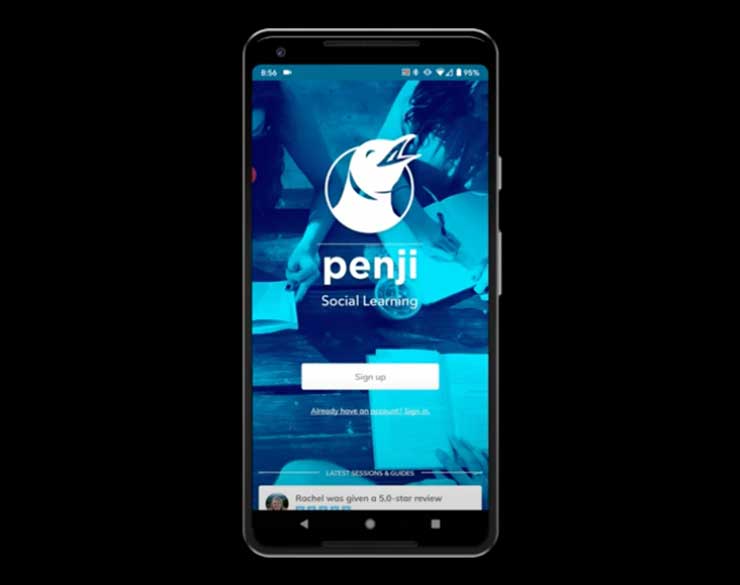
Penji Student Introduction videos and information
Penji Student Appointments Introduction videos and information
Log in to the Penji app to check for available days and times. All Zoom sessions are by appointment only. To ensure a tutor can meet with you at your requested time, please schedule the meeting the day before you're requested session (not including hours between 11 p.m. and 8 a.m.).
Lowry Center Tutoring Available Courses
Tutoring for Fall begins Tuesday, September 8th, and ends Friday, December 4th. All in-person tutoring sessions are on a drop-in basis. Sessions will be held on the first floor of the Lowry Center in room 1C. Days, times, and courses covered are listed below. Please keep in mind that many of our wonderful peer tutors cover multiple subjects at each session which may necessitate a short wait.
TBD
Monday/Wednesday:
- 9:30 a.m.-1 p.m.
- 2:30-3:30 p.m.
Monday/Wednesday:
- 11 a.m.-1 p.m.
Monday/Wednesday:
- 11 a.m.-1 p.m.
Monday/Wednesday:
- 11:30 a.m.-4 p.m.
Tuesday:
- 9:30 a.m.-1 p.m.
- 2:30-4 p.m.
Thursday:
- 10 a.m.-3 p.m.
Monday/Wednesday:
- 12:30-1:30 p.m.
Tuesday/Thursday:
- 11 a.m.-2 p.m.
Monday:
- 11:30 a.m.-4 p.m.
Monday/Wednseday:
- 12:30-1:30 p.m.
Tuesday:
- 9:30 a.m.-4 p.m.
Thursday:
- 10 a.m.-3 p.m.
Monday:
- 11:30 a.m.-4 p.m.
Tuesday/Thursday:
- 11 a.m.-2 p.m.
Monday/Wednesday:
- 12:30-1:30 p.m.
Monday/Wednesday:
- 9:30 a.m.-1 p.m.
- 2:30-3:30 p.m.
Tuesday:
- 9:30 a.m.-1 p.m.
- 2:30-4 p.m.
Thursday:
- 10 a.m.-3 p.m.
Monday/Wednesday:
- 9-11 a.m.
Thursday:
- 2-4 p.m.
Tuesday:
- 9:30 a.m.-4 p.m.
Thursday:
- 10 a.m.-3 p.m.
Additional Tutoring Options Offered by Individual Academic Departments.
Below will have all tutoring options available at this time within certain academic departments. Contact information for the academic department will also be included below.
Free Economics Tutoring
Need help with ECO 230 or ECO 231? The Economics Department offers free tutoring just for you
Where?
BB 312 (3rd Floor)
Tutoring Hours
- Monday:
- 10 a.m.-3:15 p.m.
- Tuesday:
- 10 a.m.- 12 p.m. (Noon)
- Wednesday:
- 10 a.m.-3:15 p.m.
- Thursday:
- 10 a.m.-12 p.m. (Noon)
If you have any questions, please contact the faculty director, Todd Broker, at tbroker@murraystate.edu.
Fall 2026 Ross Center hours:
- Monday:
- 9:30 a.m.-3:30 p.m.
- Tuesday:
- 9:30 a.m.-3:30 p.m.
- Wednesday:
- 9:30 a.m.-3:30 p.m.
- Thursday:
- 9:30 a.m.-3:30 p.m.
By Course:
MAT 117/C and STA 135/C
- Monday:
- 9:30 a.m.-2:30 p.m.
- Tuesday:
- 9:30-11 a.m.
- 12:30-3:30 p.m.
- Wednesday:
- 9:30 a.m.-2:30 p.m.
- Thursday:
- 11 a.m.-1:30 p.m.
STA 265
- Monday:
- 10:30 a.m.-2:30 p.m.
- Tuesday:
- 2-3:30 p.m.
- Wednesday:
- 10:30 a.m.-2:30 p.m.
MAT 130, 140/C, 145, 150, 230, 250, 308
- Monday:
- 9:30 a.m.-3:30 p.m.
- Tuesday:
- 9:30 a.m.-3:30 p.m.
- Wednesday:
- 9:30 a.m.-3:30 p.m.
- Thursday:
- 9:30 a.m.-3:30 p.m.
MAT 220
- Monday:
- 9:30 a.m.-2:30 p.m.
- Tuesday:
- 9:30 a.m.-3:30 p.m.
- Wednesday:
- 9:30 a.m.-2:30 p.m.
- Thursday:
- 11 a.m.-1:30 p.m.
MAT 309
- Monday:
- 9:30 a.m.-12:30 p.m.
- 2-3:30 p.m.
- Tuesday:
- 9:30-11 a.m.
- 12:30-3:30 p.m.
- Wednesday:
- 9:30 a.m.-12:30 p.m.
- 2-3:30 p.m.
- Thursday:
- 9:30 a.m.-3:30 p.m.
MAT 335
- Monday:
- 9:30 a.m.-12:30 p.m.
- Tuesday:
- 9:30-11 a.m.
- 12:30-1:30 p.m.
- Wednesday:
- 9:30-10:30 a.m.
- Thursday:
- 11 a.m.-1:30 p.m.
MAT 338
- Monday:
- 9:30 a.m.-12:30 p.m.
- Tuesday:
- 9:30-11 a.m.
- 12:30-3:30 p.m.
- Wednesday:
- 9:30 a.m.-12:30 p.m.
- Thursday:
- 11 a.m.-12:30 p.m.
STA 440
- Monday:
- 10:30 a.m.-2:30 p.m.
- Tuesday:
- 1:30-2 p.m.
- Wednesday:
- 11:30 a.m.-2:30 p.m.
- Thursday:
- 12:30-1:30 p.m.
MAT 452
- Monday:
- 10:30-11:30 a.m.
- Tuesday:
- 1:30-2 p.m.
- Thursday:
- 12:30-1:30 p.m.
The School of Engineering will offer tutoring Monday-Thursday from 3:30-5:30 p.m. in EP 1340 for the following courses:
- EGR 101, 140, 240, 259, 264
- ENT 365
-
MAT 110, 140, 145, 150, 250, 308, 309, 338
-
PHY 125, 130, 132, 235, 255


FREE CSIS TUTORING
- Mondays:
- 12 (Noon)-1 p.m.
- Tuesdays:
- 2-3 p.m.
- Wednesdays:
- 3-4 p.m.
- Thursdays:
- 2-3 p.m.
No appointment necessary
Location: BB 454 (South Business Building 4th floor)
For questions, contact Matthew Tennyson (mtennyson@murraystate.edu)
Fall 2026
Located on the Main Floor of Waterfield Library in the South Reference Room.
For more information please contact msu.comcenter@murraystate.edu or call 270.809.3458.
Located on the Main Floor of Waterfield Library.
Grammar Hotline: 270.809.4767
Main Contact Number: 270.809.2267
If you have a Calloway County Public Library (CCPL) Card, you can access Tutor.com for free through the CCPL website.
1. Go to the Calloway County Public Library websiteIf you have any questions or concerns, or if you are interested in becoming a tutor, contact Sarah Williams at swilliams85@murraystate.edu.